

Get More Done and Spend Less With Power PDF
Easily edit, create, share, or eSign PDF files. Convert PDFs to or from virtually any document—Word, Excel, PowerPoint, or images.
Power PDF Is Your Best Assistant


Everything You Need Without the Subscription Fees
Power PDF is packed with powerful features and robust security, yet easy to use. It’s fully scalable and ready for entrepreneurs to Fortune 500 businesses—all at an unbeatable, one-time price.
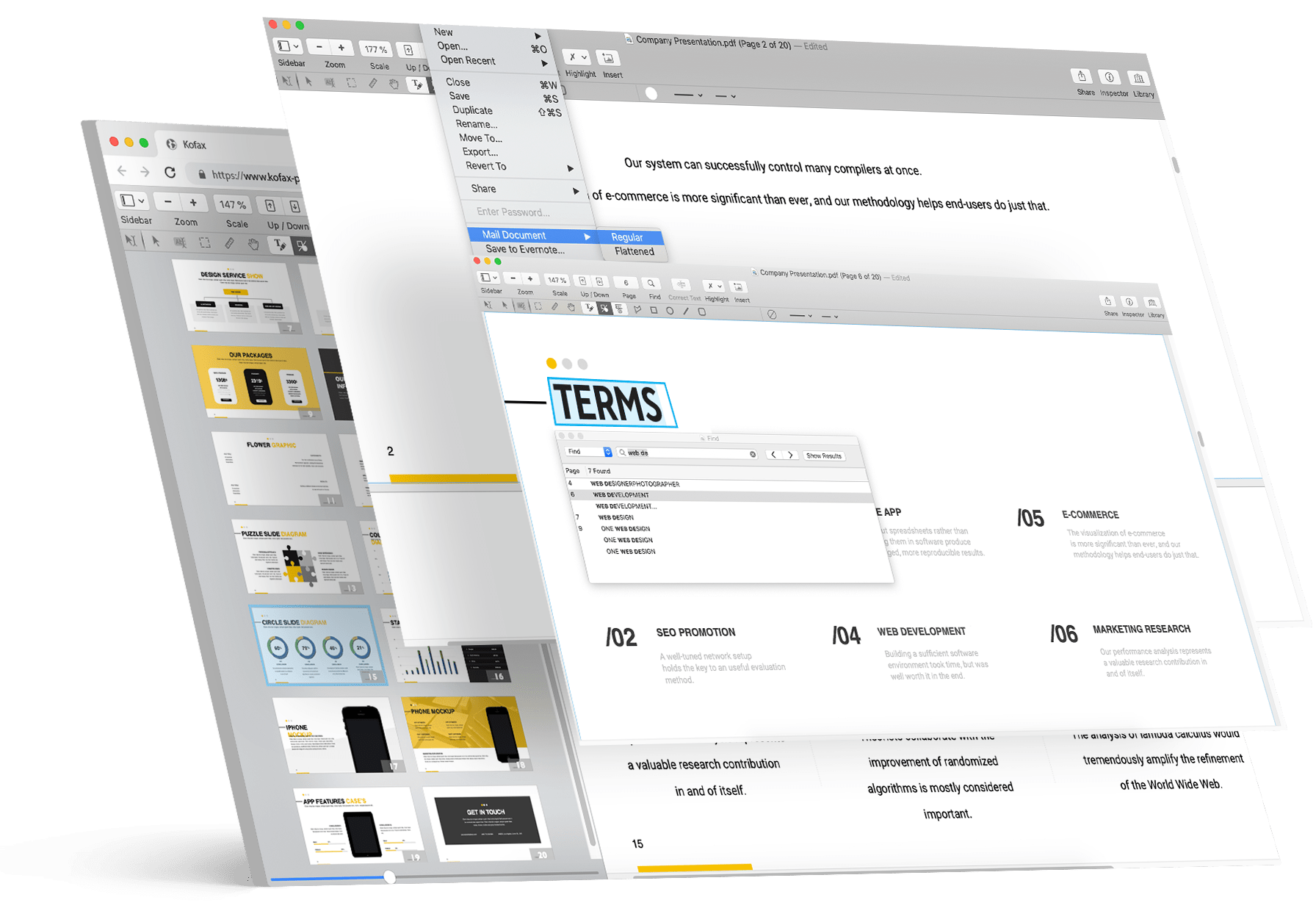

Easily send PDFs for eSignature

All your documents easily shared on the cloud

Search every scanned document using optical character recognition

Bates stamping to single or a set of documents
Discover Power PDF Advantages

Usability
A ribbon style interface that makes tool locations obvious
Fewer clicks to get work done
Send out PDFs for eSignature

Security
Security without passwords using Microsoft Active Directory Rights Management System
Anti-tampering certificate technology for certain document authenticity
Lock down network connections and features for compliance and best practices

Editing
Take commenting, editing and combining documents to new levels of productivity
Easily edit the text in a PDF and add images or videos
Unique capabilities like creating table of contents, editable forms and Bates stamping

Conversions & Scanning
Experience unequaled levels of accuracy from the leader in document conversion technology
Leverage your Copier/MFP for the fastest, most effective way to turn paper into PDF files
Scan and highlight, redact or cross out text in one step

Searching
Perform intelligent Looks Like Search™ via an alphanumeric pattern rather than exact text
Proofread the hidden text in your scanned documents automatically for maximum search precision
Search and highlight, redact or cross out text in one step

Collaboration
Let designated users on your network edit PDFs in real-time— ideal for remote team members
Work on documents across platforms and touch devices
Create a central location for recordkeeping and reporting
Customers Love Power PDF






Pay Once, Own It Forever
*Prices shown in US dollars unless local currency shown. Subject to local taxes.
£ 544
(inc VAT)
Adobe Acrobat Pro
3-year subscription
prepaid annual

£ 131
(excl VAT)
Tungsten Power PDF Advanced
one-time purchase
(individual license)

£ 413
(excl VAT)
Wasted on Adobe Acrobat
over 3 years
(you own nothing)
Which Power PDF 4 Is Best For You?
| Highlights | Power PDF Advanced | Power PDF Enterprise |
|---|---|---|
| Create PDFs from any document, web page, or directly from your scanner | ||
| Convert PDF to and from Microsoft Word, Excel, PowerPoint | ||
| Redact text and graphics from PDF files | ||
| Bates stamping with advanced formatting and page positioning | ||
| Volume discounts available | Starting at 5 licenses | Starting at 25 seats |
| 30 Day Money Back Guarantee | ||
| Extended support and updates | Available | |
| Manage e-signatures with Kofax SignDoc | Available | |
| Single-admin to manage users, installs, security and updates | ||
| Support for Citrix, Microsoft App-V and Windows Server deployment | ||
| Drag and drop security profiles to quickly and easily secure PDFs | ||
| Direct cloud connections and support multiple Microsoft One Drive accounts | ||
| Customization Kit for flexible configuration | ||
| Build custom connectors with Published Connector SDK | ||
| API capabilities via programming interface |
What is the refund policy?
Kofax offers a 30-day, money-back guarantee on Power PDF Advanced, Standard and Standard for Mac individual desktop licenses purchased on Kofax.com. Power PDF Enterprise excluded.
Is Power PDF a subscription?
Power PDF is a perpetual license, which means that once you buy a license, you own it forever. There are no additional monthly or annual fees for any Power PDF license.
What is the support policy?
Kofax provides 90 days of expert support that will cover installation, setup and personalized configuration for individual licenses. Power PDF Enterprise has an optional maintenance and support contract.