

Your ScanSnap scanner includes Power PDF Standard, but a more powerful experience awaits
Upgrade from Standard to Advanced and get $110 off now
Your ScanSnap scanner makes it easy to capture documents, photos, receipts, and more. Now, take your workflow a step further with Power PDF Advanced, giving you a smarter way to edit, share, organize, and manage your scanned documents.
Our Most Powerful PDF Editor Ever

Scan your documents in seconds with ScanSnap

Convert PDFs to or from Word, Excel, PowerPoint or images

Easily edit, create, share or eSign PDF files

Everything you need without endless subscription fees
More Than Just Your Bundled Scanner Companion
Make Scans Work Harder
Turn scanned pages into searchable, editable, and convertible PDFs, then batch-process, compress, and archive them in far less time.
Work Where Files Live
Connect directly to OneDrive, Google Drive, SharePoint, Dropbox, and Microsoft Office with no extra steps to move documents in or out.
Automate Repetitive Tasks
Batch processing & conversion, watched folders, and custom workflow sequences cut manual effort out of high-volume scanning, archiving, and everyday PDF work.
Protect Sensitive Information
Redact confidential content, apply password protection, remove metadata, and control document permissions before sharing or archiving.
Sign Without Switching Tools
Send documents for signature via DocuSign or Tungsten SignDoc (sold separately) without leaving your PDF environment.
Own It, Don't Rent It
Power PDF Advanced is a perpetual single-user license. Upgrade to a more capable, current version without endless monthly fees.


#1 Global Alternative to Adobe Acrobat
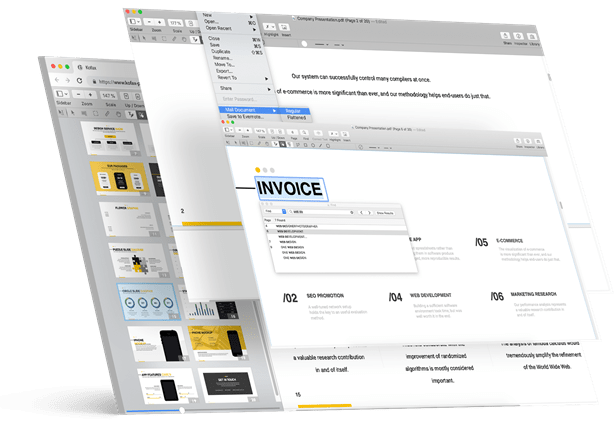

Stop filling cabinets and boxes with paper

Create, convert, and edit PDFs from almost any document or file type

All your documents easily shared on the cloud

Search every scanned document using optical character recognition
Customers Love Power PDF






New and Improved Highlights
Improved user interface and Microsoft Windows 11 touch-enabled device support
Embed MP4 videos into PDFs and rich text within PDF forms
Enhanced conversion accuracy with the new Tungsten Automation OCR version 2.1
Microsoft OneDrive direct cloud connections
Ability to combine multiple PDF documents with one click
Collaboratively create, edit and review PDFs in real-time across your local network
Bates Numbering application across a PDF portfolio
Improved local language recognition, support for right-to-left languages, and accessibility standards
Buy Once, Own Forever. Now $110 Off!
Power PDF Advanced for Windows
$ 179
$ 69
(SAVE $ 110)*
Everything you get with the Standard edition, plus:
- Native ARM Support
- Redact sensitive information from documents.
- Apply Bates stamping to a single document or to a complete set of documents.
- Sign and send PDFs for signature using DocuSign®.
- Take advantage of cloud connectivity with popular services like Box, Evernote, Google Drive, and Microsoft OneDrive.
- Collaboratively create and edit PDFs in real time with users on the same network.
- Connect to popular enterprise document management systems like SharePoint and NetDocuments.
- Integrates with Sharepoint, iManage and more
- Automate PDF-creation jobs using a watched folder.
One offer or discount per customer license. Cannot be applied towards any other discount. Valid for up to 3 individual licenses of Power PDF Advanced purchased on tungstenautomation.com at $110 USD off retail. Not for resale. Eligible for all customers with any version of Power PDF Standard bundled with a ScanSnap scanner.

30-Day Money Back Guarantee
Tungsten Automation offers a 30-day money back guarantee for the purchase price on all individual license products purchased on tungstenautomation.com, beginning on date of purchase. Excludes Power PDF Business.



How do I get my file and serial number?
Once you complete the checkout, your download link and serial number will appear on the confirmation page and will also be emailed to you. Please download and backup your file within 2 weeks.
Is Power PDF a subscription?
Power PDF Advanced, Standard and Mac are perpetual licenses – buy once and own it forever, with no additional monthly or annual fees. Future upgrades sold separately – generous discounts available.
What support is included?
Your license includes 90 days of expert technical support that covers installation, setup, and personalized configuration.
How many devices can I use my license on?
Power PDF is an individual license and can be installed on a maximum of 2 devices (desktop, laptop or Windows Surface tablets) concurrently but can only be used on 1 of those devices at a time. See EULA for details.
What is the refund policy?
Tungsten Automation offers a 30-day money back guarantee on all Power PDF, PaperPort, and OmniPage individual desktop licenses purchased only on tungstenautomation.com. Power PDF Business is not eligible for refunds.