

Why Choose Power PDF Over Adobe Acrobat?
Let’s start with better security, more intuitive interface, and no subscription fees!
All the Functionality at a Fraction of the Price


#1 Global Alternative to Adobe Acrobat
Packed with features and easy to use, Power PDF is fully scalable and ready for any business—at an unbeatable price.
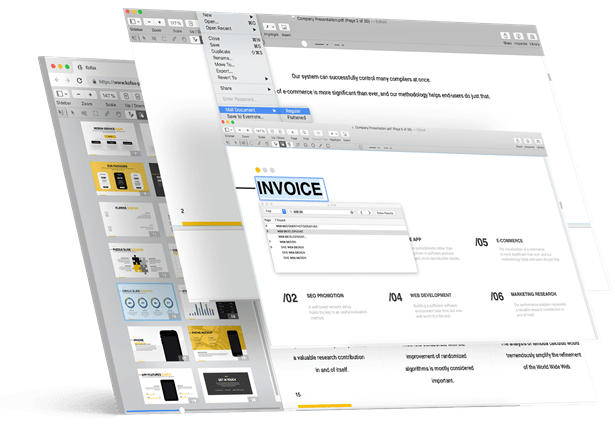

Create, convert, and edit PDFs from almost any document or file type

All your documents easily shared on the cloud

Search every scanned document using optical character recognition

Stop filling cabinets and boxes with paper
Customers Love Power PDF




Compare Power PDF Advanced and Adobe Acrobat
| Feature | Power PDF Advanced | Acrobat Pro DC |
|---|---|---|
| Create PDF’s and export to Word, Excel or PowerPoint | ||
| Convert documents and images to PDF files | ||
| Combine multiple documents into one PDF file | ||
| Create a password-protected PDF | ||
| Easily create, sign and send forms | ||
| Microsoft Office style ribbon user interface to minimize learning curve and maximize productivity | ||
| Advanced Edit — word processing capabilities within your PDF file | ||
| Create a table of contents from bookmarks | ||
| Convert Assistant desktop utility or similar | ||
| Convert selection using OCR & convert to Word, Excel, PowerPoint, WordPerfect for scanned (image) PDF files and text-based PDF files | ||
| Looks like Search™ to search for Social Security numbers, telephone numbers or any alphanumeric pattern you define | ||
| View protected PDF files & apply protection to PDFs using Microsoft Active Directory Rights Management Services (AD RMS) | ||
| Organize and manage a library of PDF security envelopes | ||
| Drag and drop security profiles to quickly and easily secure documents | ||
| One-click professional scanning with auto find-and-mark technology | ||
| BUY NOW |
Click here for a detailed comparison between Power PDF Advanced and Adobe Acrobat
Pay Once, Own It Forever
A$792
(inc VAT)
Adobe Acrobat Pro
3-year subscription
prepaid annual

A$237
(excl VAT)
Tungsten Power PDF Advanced
one-time purchase
(individual license)

-A$555
(excl VAT)
Wasted on Adobe Acrobat
over 3 years
(you own nothing)
*Prices shown in US dollars unless local currency shown. Subject to local taxes.
Which Power PDF 4 Is Best For You?
Power PDF Standard
A$188 (inc VAT)
- Create and compile PDF files from almost any document or file type, including multiple files into a single PDF.
- Easily convert PDF files to other formats, including Word, Excel, PowerPoint, images, and more.
- Convert JPG files to PDF, or convert PDF to JPG.
- Edit and enhance PDF documents to change text, pictures, add annotations, apply stamps, and more.
- Use digital and stamp-based signatures for PDF documents.
Power PDF Advanced
A$261 (inc VAT)
Everything you get with the Standard edition, plus:
- Redact sensitive information from documents.
- Apply Bates stamping to a single document or to a complete set of documents.
- Sign and send PDFs for signature using DocuSign®.
- Take advantage of cloud connectivity with popular services like Box, Evernote, Google Drive, and Microsoft OneDrive.
- Collaboratively create and edit PDFs in real time with users on the same network.
- Connect to popular enterprise document management systems like SharePoint and NetDocuments.
- Automate PDF-creation jobs using a watched folder.

30-Day Money Back Guarantee
Kofax offers a 30-day money back guarantee for the purchase price on all individual license products purchased on kofax.com, beginning on date of purchase. Excludes Power PDF Enterprise volume licensing.



What is the refund policy?
Kofax offers a 30-day money back guarantee on Power PDF, PaperPort, and OmniPage individual desktop licenses purchased on Kofax.com.
Is Power PDF a subscription?
Power PDF is a perpetual license, which means that once you buy a license, you own it forever. There are no additional monthly or annual fees if you purchase an individual license.
What is the support policy?
Kofax provides 90 days of expert support that will cover installation, setup, and personalized configuration.